

Hallo,
Als Internet Router habe ich eine Fritzbox 7390 mit der IP 192.168.178.1
Auf meinem Ubuntu Server mit der IP 192.168.178.53laufen Asterisk und TFTP
In Asterisk ist für das 9951 Phone in der sip.conf der User 34 und PW 1405 eingetragen.
Ein Softphone Z.B. Antisip kann sich mit diesen Daten anmelden und telefonieren.
Das Cisco zeigt an: Phone not Registered. Software sip9951.9-4-2ES5-1
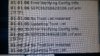
Status Nachichten (Bild anbei)
Hat jemand eine Idee wo sich der Fehler befindet?
Auf dem TFTP liegen die Files für das 9951
XMLDefault.cnf.xml :
SEPC0626B62B106.cnf.xml :
Als Internet Router habe ich eine Fritzbox 7390 mit der IP 192.168.178.1
Auf meinem Ubuntu Server mit der IP 192.168.178.53laufen Asterisk und TFTP
In Asterisk ist für das 9951 Phone in der sip.conf der User 34 und PW 1405 eingetragen.
Ein Softphone Z.B. Antisip kann sich mit diesen Daten anmelden und telefonieren.
Das Cisco zeigt an: Phone not Registered. Software sip9951.9-4-2ES5-1
Status Nachichten (Bild anbei)
Hat jemand eine Idee wo sich der Fehler befindet?
Auf dem TFTP liegen die Files für das 9951
XMLDefault.cnf.xml :
Code:
<Default>
<callManagerGroup>
<members>
<member priority="0">
<callManager>
<ports>
<ethernetPhonePort>2000</ethernetPhonePort>
<mgcpPorts>
<listen>2427</listen>
<keepAlive>2428</keepAlive>
</mgcpPorts>
</ports>
<processNodeName></processNodeName>
</callManager>
</member>
</members>
</callManagerGroup>
<loadInformation404 model="Cisco 9951"></loadInformation404>
<authenticationURL></authenticationURL>
<directoryURL></directoryURL>
<idleURL></idleURL>
<informationURL></informationURL>
<messagesURL></messagesURL>
<servicesURL></servicesURL>
</Default>
SEPC0626B62B106.cnf.xml :
Code:
<?xml version="1.0" encoding="UTF-8"?>
<device>
	<deviceProtocol>SIP</deviceProtocol>
	<sshUserId>admin</sshUserId>
	<sshPassword>admin</sshPassword>
	<devicePool>
		<dateTimeSetting>
			<dateTemplate>D.M.Y</dateTemplate>
			<timeZone>W. Europe Standard/Daylight Time</timeZone>
			<ntps>
				<ntp>
					<name>192.168.178.53</name>
					<ntpMode>unicast</ntpMode>
				</ntp>
			</ntps>
		</dateTimeSetting>
		<callManagerGroup>
			<members>
				<member priority="0">
					<callManager>
						<processNodeName>192.168.178.53</processNodeName>
						<ports>
							<ethernetPhonePort>2000</ethernetPhonePort>
							<sipPort>5060</sipPort>
							<securedSipPort>5061</securedSipPort>
						</ports>
					</callManager>
				</member>
			</members>
		</callManagerGroup>
	</devicePool>
	<advertiseG722Codec>1</advertiseG722Codec>
	<sipProfile>
		<sipProxies>
            <registerWithProxy>true</registerWithProxy>
		</sipProxies>
		<preferredCodec>g722</preferredCodec>
		<phoneLabel>Cisco VoIP</phoneLabel>
		<sipLines>
			<line button="1" lineIndex="1">
           		<featureID>34</featureID>
           		<featureLabel>34</featureLabel>
           		<proxy>USECALLMANAGER</proxy>
				<port>5060</port>
				<authName>34</authName>
				<name>34</name>
				<authPassword>1405</authPassword>
           		        <messageWaitingLampPolicy>2</messageWaitingLampPolicy>
				<messagesNumber>34</messagesNumber>
				<ringSettingIdle>4</ringSettingIdle>
				<ringSettingActive>5</ringSettingActive>
			</line>
			<line button="4"> <!-- Service auf Kurzwahltaste -->
				<featureID>34</featureID>
				<featureLabel>Service</featureLabel>
				<serviceURI>http://cisco.internect.net/</serviceURI>
			</line>
			<line button="5"> <!-- Kurzwahl -->
				<featureID>34</featureID>
				<featureLabel>34</featureLabel>
				<speedDialNumber>34</speedDialNumber>
			</line>
			</sipLines>
		<dialTemplate>dialplan.xml</dialTemplate> <!-- Dialplan, einfach mal googeln -->
	</sipProfile>
	<userLocale> <!-- Umstellen auf deutsche Sprache -->
		<name>Germany</name>
		<uid>1</uid>
		<langCode>de_DE</langCode>
		<winCharSet>iso-8859-1</winCharSet>
	</userLocale>
 	<networkLocale>Germany</networkLocale>
		<networkLocaleInfo>
		<name>Germany</name>
		<version>8.8.2.5</version>
	</networkLocaleInfo>
	<vendorConfig>
		<g722CodecSupport>2</g722CodecSupport> <!-- Schritt 3/3 für HD Telefonie -->
		<displayOnWhenIncomingCall>1</displayOnWhenIncomingCall> <!-- Einstellungen für wann Display an/aus -->
		<displayIdleTimeout>00:30</displayIdleTimeout>
		<daysDisplayNotActive>1,7</daysDisplayNotActive>
		<displayOnTime>06:00</displayOnTime>
		<displayOnDuration>01:00</displayOnDuration>
		<settingsAccess>1</settingsAccess> <!-- loakler Zugriff auf Admin Menü erlaubt -->
		<webAccess>0</webAccess> <!-- Web Zugriff erlaubt -->
	</vendorConfig>
	<phoneServices useHTTPS="true">
		<provisioning>0</provisioning>
		<phoneService  type="1" category="0"> <!-- für Anzeige verpasster Anrufe -->
			<name>Missed Calls</name>
			<url>Application:Cisco/MissedCalls</url>
			<vendor></vendor>
			<version></version>
		</phoneService>
		<phoneService  type="2" category="0"> <!-- um die Brieftaste nutzen zu können -->
			<name>Voicemail</name>
			<url>Application:Cisco/Voicemail</url>
			<vendor></vendor>
			<version></version>
		</phoneService>
		<phoneService  type="1" category="0"> <!-- für Anzeige empfangener Anrufe -->
			<name>Received Calls</name>
			<url>Application:Cisco/ReceivedCalls</url>
			<vendor></vendor>
			<version></version>
		</phoneService>
		<phoneService  type="1" category="0"> <!-- für Anzeige getätigter Anrufe -->
			<name>Placed Calls</name>
			<url>Application:Cisco/PlacedCalls</url>
			<vendor></vendor>
			<version></version>
		</phoneService>
		<phoneService type="1" category="0"> <!-- Telefonbuch einbinden -->
			<name>Kontakte</name>
			<url>http://192.168.0.2/directory.php</url>
			<vendor/>
			<version/>
		</phoneService> <!-- Service, taucht im Hauptmenü auf -->
		<phoneService  type="0" category="0">
			<name>Australian Services</name>
			<url>http://cisco.internect.net/</url>
			<vendor></vendor>
			<version></version>
		</phoneService>
	</phoneServices>
	<featurePolicyFile>DefaultFP.xml</featurePolicyFile> <!-- steuert die verfügbaren Funktionen, zB Wahlwiederholung -->
	<commonConfig> <!-- aktiviert alle Zubehör Optionen, wifi nur mit 9971 -->
		<usb1>1</usb1>
		<usb2>1</usb2>
		<ciscoCamera>1</ciscoCamera>
		<videoCapability>1</videoCapability>
		<usbClasses>0,1,2</usbClasses>
		<sdio>1</sdio>
		<bluetooth>1</bluetooth>
		<wifi>1</wifi>
		<bluetoothProfile>0,1</bluetoothProfile>
	</commonConfig>
	<authenticationURL>http://192.168.0.2/ciscoauth.php</authenticationURL> <!-- wird zB für Screenshots benötigt -->
	<loadInformation>sip9951.9-4-2SR1-2</loadInformation> <!-- FW Version -->
</device>
Anhänge
Zuletzt bearbeitet:

