
[Sammlung] FRITZ!-kompatible Zigbee-Geräte
- Ersteller Simeon
- Erstellt am
-
- Schlagworte
- smart home zigbee
Du verwendest einen veralteten Browser. Es ist möglich, dass diese oder andere Websites nicht korrekt angezeigt werden.
Du solltest ein Upgrade durchführen oder ein alternativer Browser verwenden.
Du solltest ein Upgrade durchführen oder ein alternativer Browser verwenden.


Ralf-Fritz
Aktives Mitglied
- Mitglied seit
- 27 Sep 2016
- Beiträge
- 1,487
- Punkte für Reaktionen
- 581
- Punkte
- 113
Bin immer etwas skeptisch bei 0,99 € Steckdosen, selbst wenn Sie erstmal funktionieren, wenn die Bude dann doch mal abbrennt, habe ich auch nichts gewonnen durch den Drang etwas Geld mit Smart Home zu sparen. 
tango501
IPPF-Promi
- Mitglied seit
- 1 Aug 2022
- Beiträge
- 6,638
- Punkte für Reaktionen
- 1,636
- Punkte
- 113
GRILLPLATS Steckdose, smart 8.99€Empfehlung?
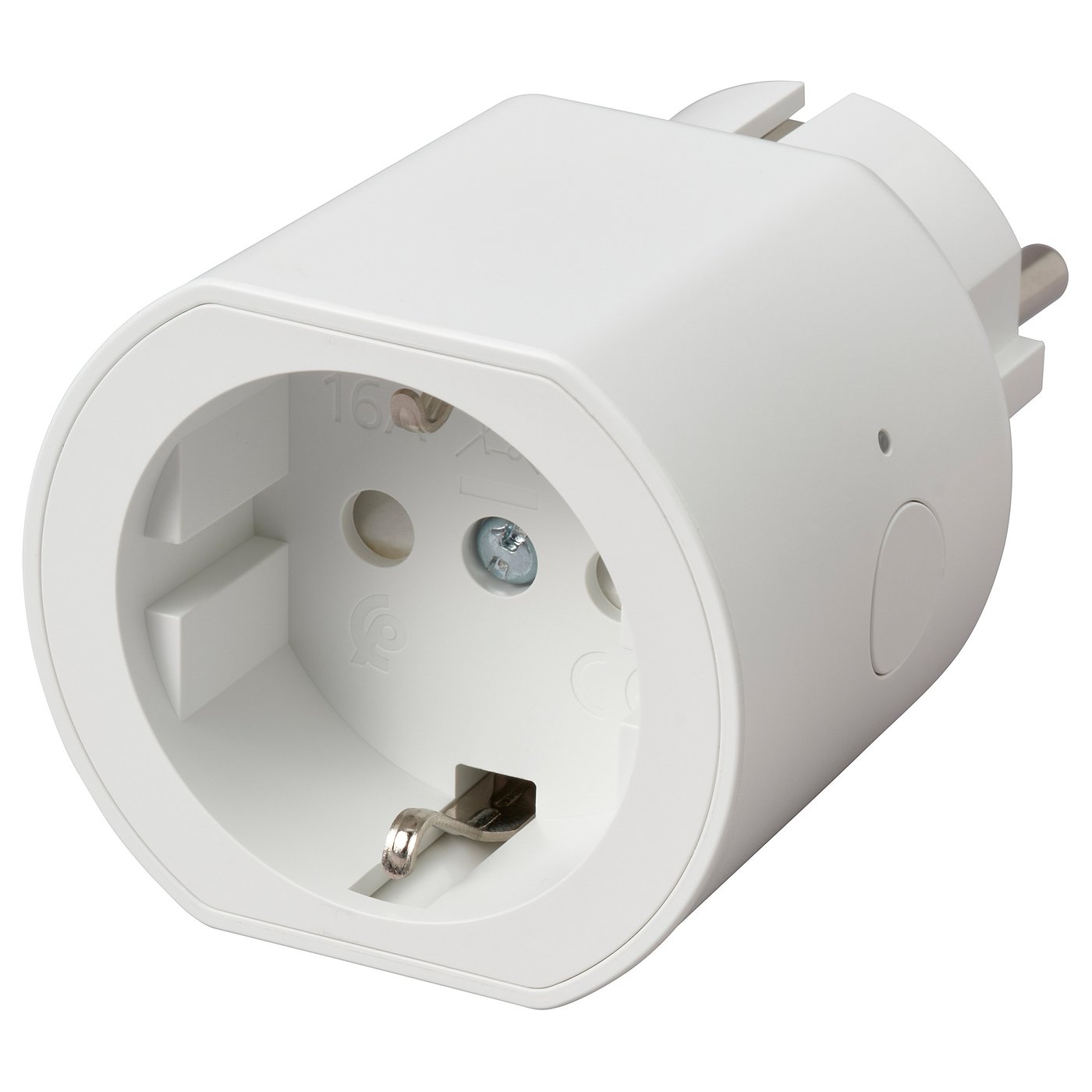
GRILLPLATS Steckdose, smart - IKEA Deutschland
GRILLPLATS Steckdose, smart Wie wäre es, wenn du aus einer Leuchte oder einem Haushaltsgerät ein smartes Produkt machen könntest? Das geht ganz einfach! Verbinde dein Gerät mit dieser smarten Steckdose und bediene es aus der Ferne! Basiert auf dem universellen Matter-Standard.
 www.ikea.com
tango501
IPPF-Promi
- Mitglied seit
- 1 Aug 2022
- Beiträge
- 6,638
- Punkte für Reaktionen
- 1,636
- Punkte
- 113
@Gobi04 Als Designer werden dort "W Braasch/M Arvonen" genannt.
"Wir bieten für dieses smarte Produkt mindestens fünf Jahre lang nach dem Kauf Unterstützung, einschließlich Aktualisierungen der Software. IKEA of Sweden AB SE-343 81 Älmhult, IKEA.com"
Solche Hinweise habe ich in dem "Angebot" aus #1,221 komplett vermisst.
"Wir bieten für dieses smarte Produkt mindestens fünf Jahre lang nach dem Kauf Unterstützung, einschließlich Aktualisierungen der Software. IKEA of Sweden AB SE-343 81 Älmhult, IKEA.com"
Solche Hinweise habe ich in dem "Angebot" aus #1,221 komplett vermisst.
Schau Dir einfach mal die Erfahrungsberichte im Internet an. Ganz egal ob Ladegeräte, Smart HomeTechnik oder LED-Lampen. Mir ist kein Fall bekannt das bei diesen Geräten ein größerer Schaden entstanden wäre. Selbst bei dem 20W Ladegeräten die vom Rückruf betroffen waren gab es nur Ausfälle keinen Brandschaden oder so.
tango501
IPPF-Promi
- Mitglied seit
- 1 Aug 2022
- Beiträge
- 6,638
- Punkte für Reaktionen
- 1,636
- Punkte
- 113
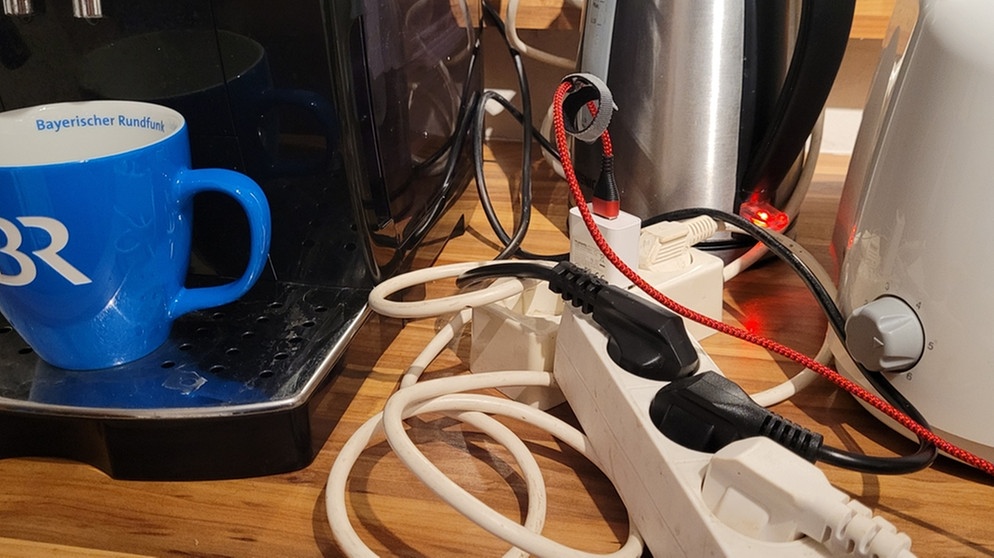
@Alpha55 Billiggeräte als Brandrisiko
"Billiggeräte, beispielsweise aus dem Internet, sind häufig schlecht verarbeitet und entsprechen nicht den Sicherheitsanforderungen. Sie überhitzen schneller, Kabel brechen leichter und verursachen daher häufiger Brände als Markenprodukte, die strengen Kontrollen unterliegen."
 www.br.de
"Billiggeräte, beispielsweise aus dem Internet, sind häufig schlecht verarbeitet und entsprechen nicht den Sicherheitsanforderungen. Sie überhitzen schneller, Kabel brechen leichter und verursachen daher häufiger Brände als Markenprodukte, die strengen Kontrollen unterliegen."
Sicherheit: Elektrogeräte als Brandursache | BR.de
Eine Ursache für Wohnungsbrände sind Elektrogeräte. Klaus Heimlich von der Münchner Berufsfeuerwehr gibt Tipps, wie Sie dieses Risiko senken können.


Erforderlich
Aktives Mitglied
- Mitglied seit
- 7 Jan 2024
- Beiträge
- 2,113
- Punkte für Reaktionen
- 564
- Punkte
- 113
Oh, schon wieder ein Ali-Link in voller Länge! Und er führt darüberhinaus direkt zu einem Artikel mit nachhausetelefonierendem Cloud-Tuya-WiFi-Rotz. Wer kann da noch widerstehen?
Ich frage mich langsam schon, wann endlich mal der erste Cloud-Mist-Testangriff stattfinden wird.
P.S. Natürlich ist Wifi-Tuya KEIN ZigBee und damit nicht kompatibel.
Ich frage mich langsam schon, wann endlich mal der erste Cloud-Mist-Testangriff stattfinden wird.
P.S. Natürlich ist Wifi-Tuya KEIN ZigBee und damit nicht kompatibel.

Erforderlich
Aktives Mitglied
- Mitglied seit
- 7 Jan 2024
- Beiträge
- 2,113
- Punkte für Reaktionen
- 564
- Punkte
- 113
Die Grillplats gehen aber gut, da ich hier noch nichts in Powershell gefunden habe poste ich hier mal, was bei mir funktioniert (vmtl auch woanders).
fritz benutzername und Passwort wird einmalig abgefragt und verschlüsselt abgespeichert.
Werden keine Argumente für das Skript angegeben, werden nur die gefundenen Geräte ausgegeben.
Mit
.\fritz.ps1 GP3 setswitchon
kann man zB das Gerät mit dem Namen GP3 einschalten
.\fritz.ps1 GP3 setswitchoff
schaltet es zB aus
Habe ich mit den Grillplats getestet.
Funktioniert für Smartgateway oder Box, IP dann ggf ändern.
s. https://fritz.support/resources/AHA-HTTP-Interface.pdf
$ps1path = split-path $MyInvocation.MyCommand.Path;$ps1name = $myInvocation.MyCommand.Name.Split(".")[0]
$credfn = $ps1path + "\" + $ps1name + "_" + $env:computername + "_" + $env:username + ".txt"
if (! (test-path $credfn)) {
$credential = Get-Credential (read-host "Enter once fritz Username and then Password")
$unsstr = ConvertTo-SecureString $credential.UserName -AsPlainText -Force
$unout = $unsstr | ConvertFrom-SecureString
$pwout = $credential.Password | ConvertFrom-SecureString
@($unout,$pwout) | Set-Content ($credfn)
}
$creds = Get-Content $credfn
$sstr = $creds[0] | ConvertTo-SecureString
$pscred = New-Object System.Management.Automation.PsCredential(" ", $sstr)
$username = $pscred.GetNetworkCredential().Password
$sstr = $creds[1] | ConvertTo-SecureString
$pscred = New-Object System.Management.Automation.PsCredential(" ", $sstr)
$password = $pscred.GetNetworkCredential().Password
$FritzboxIP = "192.168.168.168" # oder fritz.box
# 1. Challenge abrufen
$ChallengeUrl = "http://$FritzboxIP/login_sid.lua"
$ChallengeResponse = Invoke-RestMethod -Uri $ChallengeUrl
$Challenge = $ChallengeResponse.SessionInfo.Challenge
# 2. Hash aus Challenge und Passwort bilden
$pass = "$Challenge-$Password"
$passEnc = [System.Text.Encoding]::Unicode.GetBytes($pass)
$md5 = [System.Security.Cryptography.MD5]::Create()
$hash = $md5.ComputeHash($passEnc)
$hashString = ($hash | ForEach-Object { $_.ToString("x2") }) -join ""
# 3. Login durchführen und Session ID (SID) extrahieren
$LoginUrl = "http://$FritzboxIP/login_sid.lua?username=$username&response=$Challenge-$hashString"
#$LoginUrl = "http://$FritzboxIP/login_sid.lua?response=$Challenge-$hashString"
$LoginResponse = Invoke-RestMethod -Uri $LoginUrl
$SID = $LoginResponse.SessionInfo.SID
$deviceUrl = "$fritzboxip/webservices/homeautoswitch.lua?sid=$sid&switchcmd=getdevicelistinfos"
$devicesXml = Invoke-RestMethod -Uri $deviceUrl -Method Get
$devicesXml.devicelist.device | select name,productname
if ($args.count -eq 0 ) {"No Command, exit ...";exit}
$devicename = $args[0]
$command = $args[1]
$device = $devicesXml.devicelist.device | ? {$_.name -match $devicename}
$ain = $device[1].identifier
$resturl = "$fritzboxip/webservices/homeautoswitch.lua?ain=$ain&switchcmd=" + $command + "&sid=$sid"
$resturl
$resp = Invoke-RestMethod -Uri $resturl -Method Get
$resp
fritz benutzername und Passwort wird einmalig abgefragt und verschlüsselt abgespeichert.
Werden keine Argumente für das Skript angegeben, werden nur die gefundenen Geräte ausgegeben.
Mit
.\fritz.ps1 GP3 setswitchon
kann man zB das Gerät mit dem Namen GP3 einschalten
.\fritz.ps1 GP3 setswitchoff
schaltet es zB aus
Habe ich mit den Grillplats getestet.
Funktioniert für Smartgateway oder Box, IP dann ggf ändern.
s. https://fritz.support/resources/AHA-HTTP-Interface.pdf
$ps1path = split-path $MyInvocation.MyCommand.Path;$ps1name = $myInvocation.MyCommand.Name.Split(".")[0]
$credfn = $ps1path + "\" + $ps1name + "_" + $env:computername + "_" + $env:username + ".txt"
if (! (test-path $credfn)) {
$credential = Get-Credential (read-host "Enter once fritz Username and then Password")
$unsstr = ConvertTo-SecureString $credential.UserName -AsPlainText -Force
$unout = $unsstr | ConvertFrom-SecureString
$pwout = $credential.Password | ConvertFrom-SecureString
@($unout,$pwout) | Set-Content ($credfn)
}
$creds = Get-Content $credfn
$sstr = $creds[0] | ConvertTo-SecureString
$pscred = New-Object System.Management.Automation.PsCredential(" ", $sstr)
$username = $pscred.GetNetworkCredential().Password
$sstr = $creds[1] | ConvertTo-SecureString
$pscred = New-Object System.Management.Automation.PsCredential(" ", $sstr)
$password = $pscred.GetNetworkCredential().Password
$FritzboxIP = "192.168.168.168" # oder fritz.box
# 1. Challenge abrufen
$ChallengeUrl = "http://$FritzboxIP/login_sid.lua"
$ChallengeResponse = Invoke-RestMethod -Uri $ChallengeUrl
$Challenge = $ChallengeResponse.SessionInfo.Challenge
# 2. Hash aus Challenge und Passwort bilden
$pass = "$Challenge-$Password"
$passEnc = [System.Text.Encoding]::Unicode.GetBytes($pass)
$md5 = [System.Security.Cryptography.MD5]::Create()
$hash = $md5.ComputeHash($passEnc)
$hashString = ($hash | ForEach-Object { $_.ToString("x2") }) -join ""
# 3. Login durchführen und Session ID (SID) extrahieren
$LoginUrl = "http://$FritzboxIP/login_sid.lua?username=$username&response=$Challenge-$hashString"
#$LoginUrl = "http://$FritzboxIP/login_sid.lua?response=$Challenge-$hashString"
$LoginResponse = Invoke-RestMethod -Uri $LoginUrl
$SID = $LoginResponse.SessionInfo.SID
$deviceUrl = "$fritzboxip/webservices/homeautoswitch.lua?sid=$sid&switchcmd=getdevicelistinfos"
$devicesXml = Invoke-RestMethod -Uri $deviceUrl -Method Get
$devicesXml.devicelist.device | select name,productname
if ($args.count -eq 0 ) {"No Command, exit ...";exit}
$devicename = $args[0]
$command = $args[1]
$device = $devicesXml.devicelist.device | ? {$_.name -match $devicename}
$ain = $device[1].identifier
$resturl = "$fritzboxip/webservices/homeautoswitch.lua?ain=$ain&switchcmd=" + $command + "&sid=$sid"
$resturl
$resp = Invoke-RestMethod -Uri $resturl -Method Get
$resp
Zuletzt bearbeitet:

rabe85
Neuer User
- Mitglied seit
- 30 Apr 2012
- Beiträge
- 97
- Punkte für Reaktionen
- 17
- Punkte
- 8
Angeschlossen und funktioniert super mit altem Hörmann Garagentor:
SONOFF MINI-ZBD:
Typ: Steckdose
Firmware: 1.0.0
SONOFF MINI-ZBD:
Typ: Steckdose
Firmware: 1.0.0
Erforderlich
Aktives Mitglied
- Mitglied seit
- 7 Jan 2024
- Beiträge
- 2,113
- Punkte für Reaktionen
- 564
- Punkte
- 113
Mehrfach Anmeldung versucht und immer fehlgeschlagen:
Arteco ZS-304Z (Feuchte, Temperatur und Lichtstärke), wird bei Aliexpress explizit für Zigbee2MQTT angeboten, mit dem es dagegen sofort funktionierte.
Arteco ZS-304Z (Feuchte, Temperatur und Lichtstärke), wird bei Aliexpress explizit für Zigbee2MQTT angeboten, mit dem es dagegen sofort funktionierte.
Netzonline
Aktives Mitglied
- Mitglied seit
- 12 Dez 2012
- Beiträge
- 837
- Punkte für Reaktionen
- 91
- Punkte
- 28
Zur Info:
Sonoff SNZB-02WD, Außensensor (IP65), Temperatur und Luftfeuchte
angemeldet via Fritz!Smartgateway, OS 8.26
Funktioniert vollständig
Sonoff SNZB-02WD, Außensensor (IP65), Temperatur und Luftfeuchte
angemeldet via Fritz!Smartgateway, OS 8.26
Funktioniert vollständig
rabe85
Neuer User
- Mitglied seit
- 30 Apr 2012
- Beiträge
- 97
- Punkte für Reaktionen
- 17
- Punkte
- 8
Hi, gerade erst gesehen. Ja, er lässt sich in der Fritz Smart Home App steuern. Da ich für das Garagentor eigentlich einen Taster benötige muss man ihn dann halt manuell wieder ausschalten, wenn man schneller hintereinander schalten möchte. Ansonsten habe ich in der App eingestellt, dass er nach manuellem Anschalten nach einer Minute automatisch wieder aus geht. Eine kürzere Zeit kann man leider nicht einstellen. Für den normalen Betrieb (Tor auf, Auto rein/raus, Tor zu) reicht das aber aus, auch wenn man vergisst es direkt wieder auszuschalten.@rabe85 guter Hinweis! Du kannst dieses dann mit der normalen Smarthome App von Fritz steuern? Wie hast du diesen angesteuert?
Ich habe noch einen SNZB-04PR2 an das Tor gebaut, damit ich weiß, ob es geschlossen ist. Damit könnte man jetzt z.B. auch noch Routinen einstellen, die das Tor automatisch nach x Minuten wieder zu fahren.
Anschlüsse L/N (bzw. DC+/-) für die Versorgungsspannung, an S1/ S2 die beiden Adern vom Taster (falls du einen verbaut hast) und NO / COM für den Schaltkontakt vom Garagentor (wo vorher der Taster angeklemmt war).

Neueste Beiträge
-
[Sammlung] Fritz!Box 4690 Inhaus/Labor - (8.4X) -
- Letzte: tango501
-
[Problem] Dect Telefon mit Sprachwahl über Fritzbox 6850 LTE
- Letzte: landbastler
-
[Sammlung] Fritz!Box 6670 Cable Inhaus/Labor - (8.4x) -
- Letzte: GNUMAS
-
 7590AX stürzt unregelmäßig ab
- Letzte: Grisu_
-
 [Sammlung] Fritz!Box 6690 Cable Inhaus/Labor - (8.4x) -
- Letzte: Schattenfuchs